My game key isn't working. What should I do?
A key usually fails for one of a few reasons: a typing mistake, the wrong platform or account, or a region that doesn't match. Check the platform your key is for, paste the key again, then find your message in the table below. It takes you to the exact fix on your platform.
Before you start
Have the email for your order open. Your key is in it, or behind its Get your order button. It never shows on the order page.
Sign in to the platform with the account you want the game on.
Take a screenshot of the message you see, with any error code. A claim needs one, and you add it on the contact form.
Stop after two tries. Retrying won't fix a region mismatch or a used key, and some platforms block redeeming for a while after several failed attempts.
Check which platform your key is for
- 1
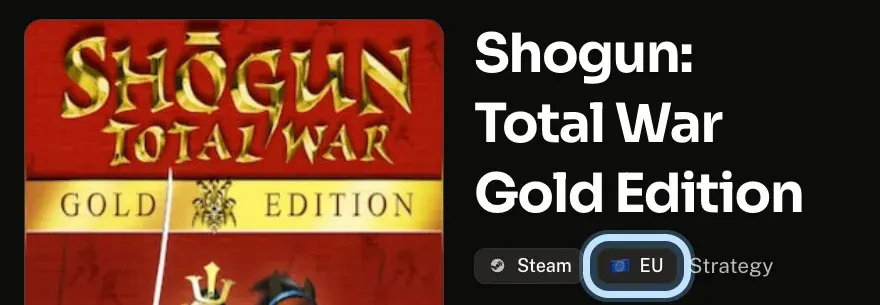
Open the game's page on Andalu, the one you bought. The tags under its name show the platform and region: Steam and EU (Europe) in this example.
- 2
Redeem the key on that platform only. A Steam key doesn't work on PlayStation or Xbox, and a PlayStation code doesn't work on Steam.
The platform refuses it as a key for another platform, or for another region? See wrong platform or region.
Paste the key again
- 1
Open the email for your order and select Get your order. Copy your key from the page it opens, or from the email itself if it shows the key under Your key.
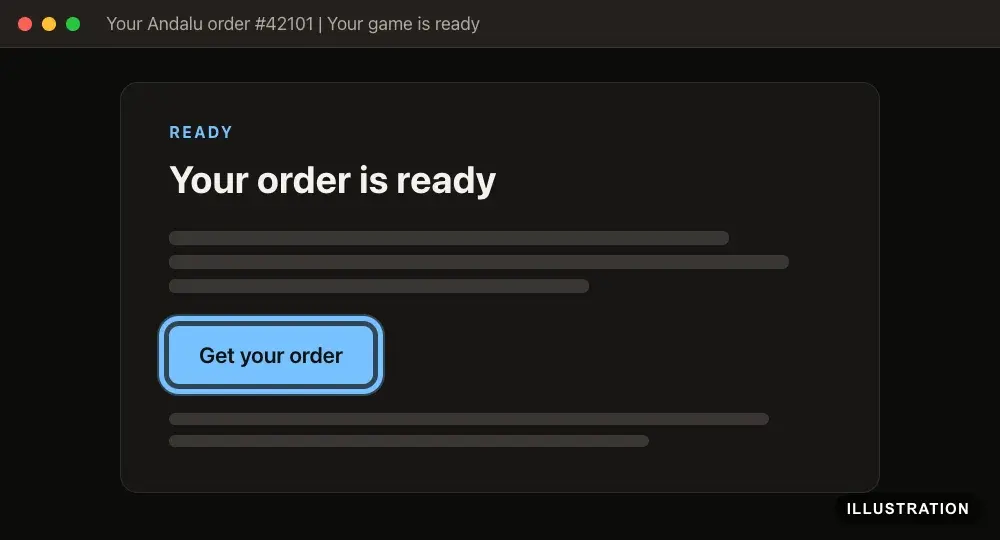
Illustration of your Andalu order page - 2
Paste it into the platform's code box, rather than typing it. Letters and numbers like I, L and 1, or O and 0, are easy to mix up.
Have to type it? Type it exactly as shown, one group at a time.
- 3
Check you're signed in to the account you want the game on, then try once more.
Find your message on your platform's list
- 1
Open your platform's troubleshooting list:
- 2
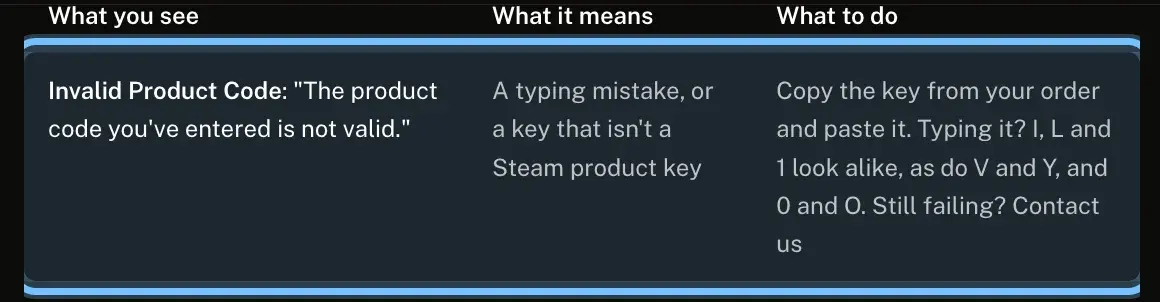
Find the row whose What you see matches your message. The table below lists the common messages, with a link to the exact row on each platform.
- 3
Do what the row says under What to do.
Confirm it works
The game appears in your platform's library straight away, even before you download it. Each guide says exactly where to look: Steam, PlayStation, Xbox, Nintendo, Epic Games, GOG, EA app, Ubisoft Connect, Battle.net or Rockstar Games.
DLC and upgrades don't appear as a new game. They're listed with the base game: see editions, upgrades and DLC.
Troubleshooting
| What you see | What it means | What to do |
|---|---|---|
A message that the code isn't valid, wasn't found or can't be claimed | Usually a typing mistake, or a key for another platform | Copy the key from your order and paste it. Check the platform the product page names. Your platform's row: Steam · PlayStation · Xbox · Nintendo · Epic Games · GOG · EA app · Ubisoft Connect · Battle.net · Rockstar Games |
A message that the code was already used, redeemed or claimed | It was redeemed before, maybe on another account of yours | Check the library of each account you use on that platform. If it isn't there, contact us with your order number. Your platform's row: Steam · PlayStation · Xbox · Nintendo · Epic Games · GOG · EA app · Ubisoft Connect · Battle.net · Rockstar Games |
A message that you already own it | This account already has everything the key adds | Nothing is wrong: find it in your library. Your platform's row: Steam · Nintendo · Epic Games · GOG · Battle.net |
A message that it isn't available in your country or region, or doesn't match your location | The key is for another region than your account | Don't retry. See wrong platform or region. Your platform's row: Steam · PlayStation · Xbox · Nintendo · Epic Games · GOG · EA app · Ubisoft Connect · Battle.net · Rockstar Games |
A message that you need the original game or the base game first | DLC or an upgrade, and the base game isn't on this account | Add the base game to the same account, then redeem the key again. Your platform's row: Steam · Nintendo · Epic Games · GOG · Battle.net |
A message about too many attempts, or the key keeps failing | Too many tries in a row | Stop, and wait before one more careful try. Your platform's row: Steam · PlayStation · Xbox · Nintendo · Epic Games · Ubisoft Connect · Rockstar Games |
A message that the code isn't active yet, or the game isn't released | A pre-order, before release day | Try again on the release date shown on the product page. Your platform's row: PlayStation · Nintendo · Epic Games. Steam activates pre-orders early: see Steam pre-orders |
A message that the code has expired | The code is past its end date | Contact us with your order number. Your platform's row: Epic Games · GOG · EA app · Battle.net |
The key worked, but the game isn't in your library | Usually another account is signed in | Sign in to the account you redeemed on. Your platform's row: Steam · PlayStation · Xbox · Nintendo · Epic Games · GOG · EA app · Ubisoft Connect · Battle.net · Rockstar Games |
The key worked, but the DLC or upgrade doesn't show | Add-ons are listed with the base game, and some unlock inside the game | See editions, upgrades and DLC. Your platform's row: Xbox · Epic Games · EA app · Ubisoft Connect · Battle.net |
The platform won't take a key from another store | Each key works only on its own platform | Redeem it on the platform the product page names. Your platform's row: Epic Games · EA app · Ubisoft Connect · Rockstar Games |
A message that something went wrong on the platform's side | A temporary problem at the platform | Wait a while, then try once more. Your platform's row: Steam · Xbox · GOG |
The platform asks for a code when you sign in | Two-step sign-in protecting your account | Enter the code from your email, text message or app. Your platform's row: Steam · Epic Games · GOG · EA app · Ubisoft Connect |
A child's or family account can't redeem | Parental or family settings limit it | The adult who manages the family changes the settings. Your platform's row: Steam · PlayStation · Xbox · Nintendo · Epic Games · EA app · Rockstar Games |
Frequently asked questions
Related articles
Still stuck?
Contact us with your order number and the exact message you see, word for word, including any error code. We reply by email, usually within a day. If the key can't be used, buyer protection covers you for 24 hours after delivery.