How does buying on Andalu work?
You find a game, check that its key works on your account, add it to your cart, and pay at one checkout. You don't need an account. Your key arrives by email, and your order confirmation page shows the order's progress until it's delivered. The price you see is the price you pay.
Before you start
Know which platform you play on (Steam, Xbox, Nintendo and so on) and your account's region. A key only works on the platform and region it's made for. Not sure of your region? See What is region lock?
Have your mobile phone with you. Checkout texts a code to it before you can pay. Internet and virtual numbers can't be used.
There is no minimum order. Rarely, a very cheap item can't be bought on its own, and checkout asks you to add another item.
Have a way to pay. Card, Apple Pay and Google Pay are offered everywhere, and some countries also get a local bank method. See What payment methods does Andalu accept?
You don't need an Andalu account. Checkout asks for your email and name instead, and we email your key to that address.
Find your game
- 1
Type the game's name in Search at the top of any page, then press Enter.
Rather browse? Select Games at the top, then filter by platform, genre, price and region.
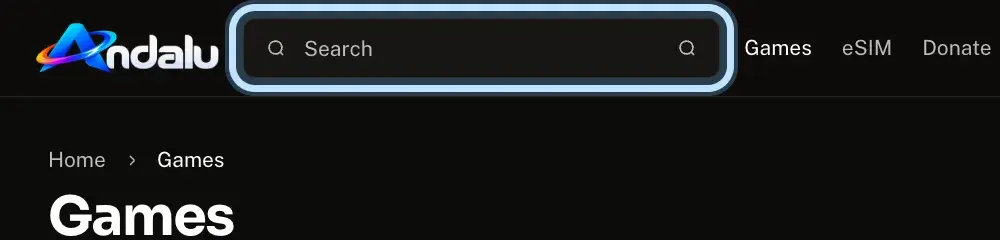
- 2
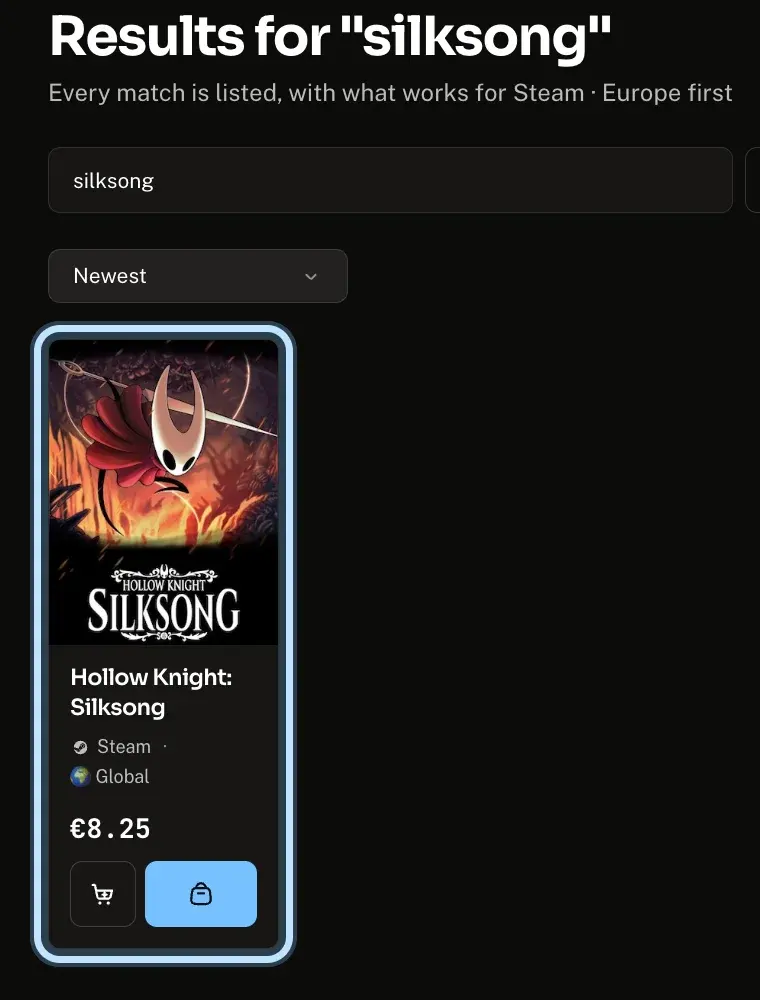
Select the game in the results.
Once you've set your platform and region, what works on your account is listed first.
Check the key works for you
- 1
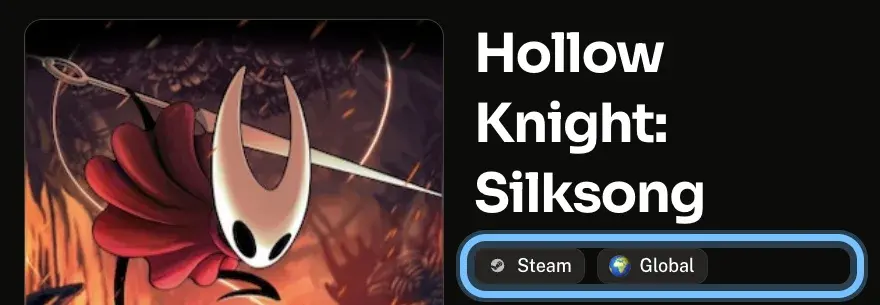
Under the game's title, check the platform and region: here, Steam and Global.
Global means the key isn't locked to one region. A key for one region, like Europe, only works on an account from that region.
- 2
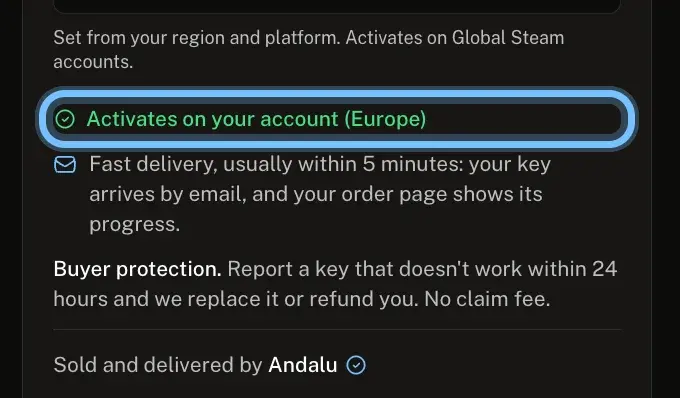
In the box with the price, look for Activates on your account.
It says Set your region to check this key works for you until you've told us your region. Select Set region at the top of the page and pick your platform and region: here's how.
It says Won't activate on your account when the key is for another region, or names the key's platform, like Steam keys only, and your account is set to Xbox, when it's for another platform. Either way, don't buy it for yourself.
- 3
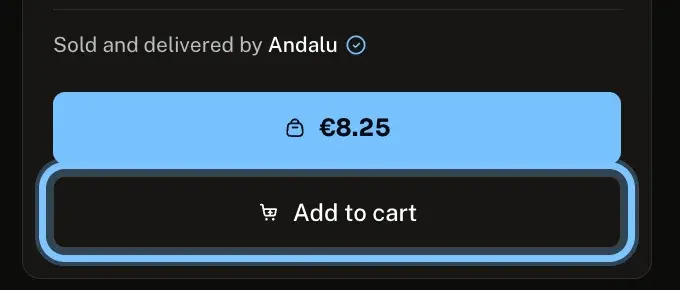
Select Add to cart. Or select Buy, the button above it with the price, to go straight to checkout.
If the key is for a region that isn't yours, we ask you to confirm first. Only continue if it's a gift for someone with an account in that region.
Check your cart
- 1
Select Cart, at the top right of the page or, on a phone, in the bar at the bottom.
- 2
Check the platform and region on each line.
- 3
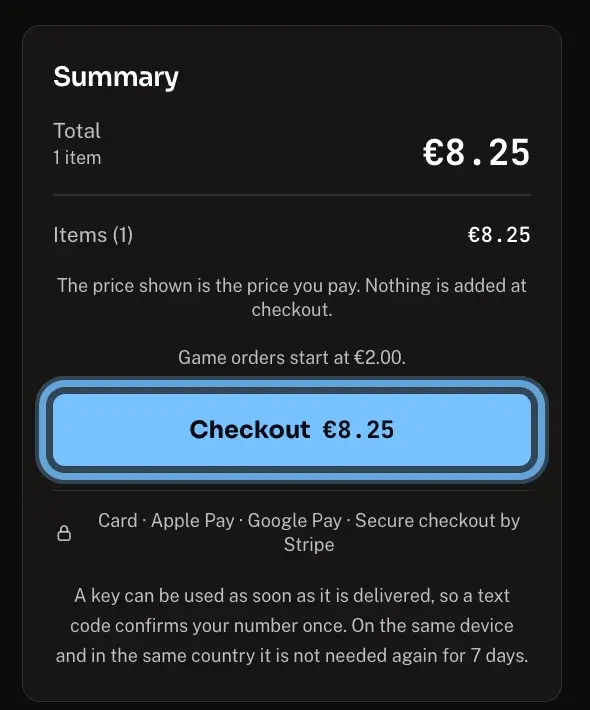
Select Checkout. The button shows your total.
The total already includes the all-in item price and payment processing. Checkout can only lower it.
Check out
Checkout is one page. Nothing is charged until you finish on the payment page that follows it.
- 1
Enter your Email address and Full name. On a device you've bought from before, they're already filled in. Not you? Select Not you? to clear them.
- 2
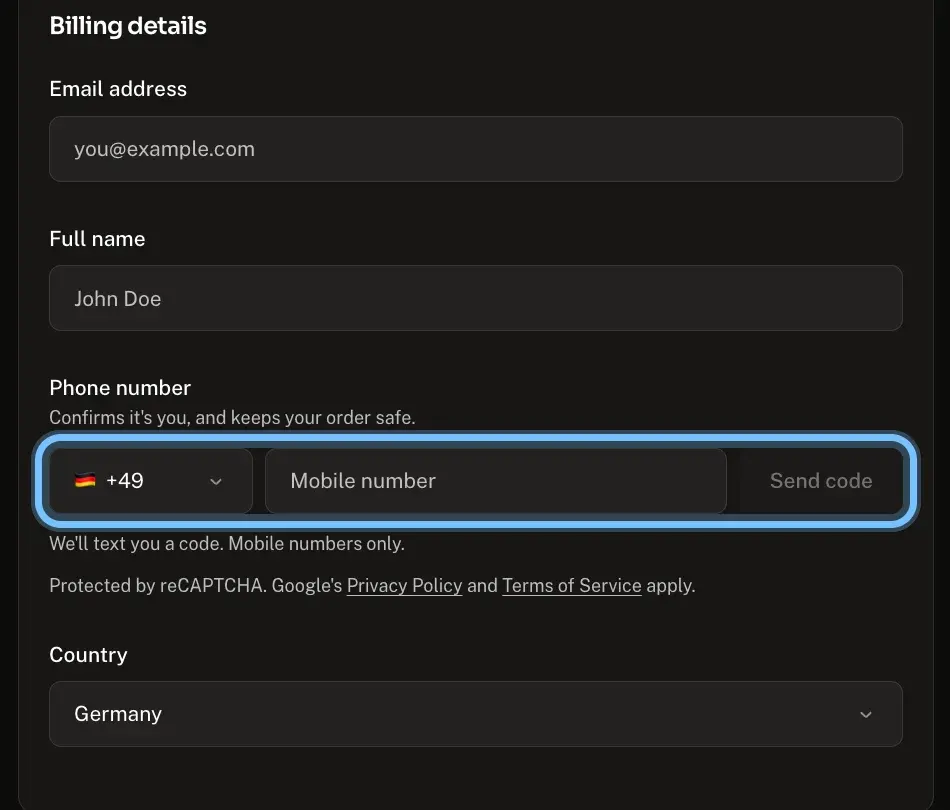
Under Phone number, check the country beside the box (tap it to change it), enter your mobile number without the country code, then select Send code. If this device remembers your number, select Continue beside it instead.
- 3
Type the code from the text message in Code we texted you. It's checked as soon as all six digits are in.
Only mobile numbers work. If this device confirmed a number in the last 7 days, checkout recognizes it and you don't need a new code.
- 4
Check Country shows where you live, and change it if it doesn't. It decides which payment methods you see.
- 5
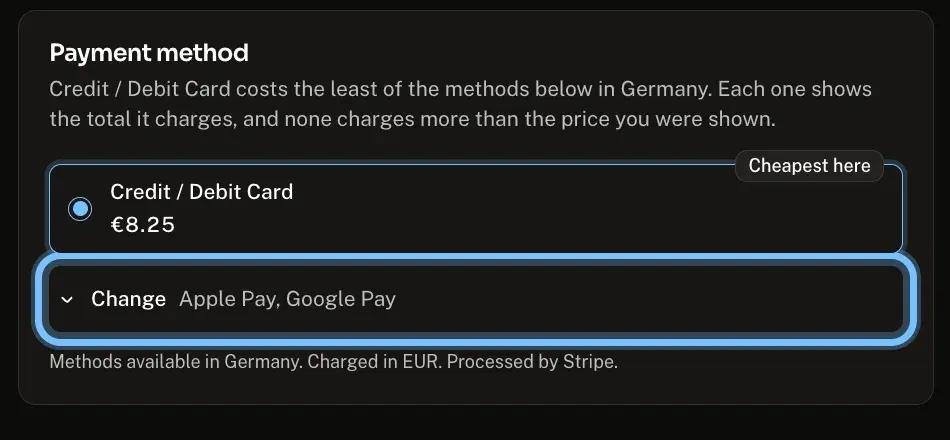
Under Payment method, check the method chosen for you and the total it charges. To pick another, select Change to see the others, each with its total. The cheapest one is marked Cheapest here.
- 6
Select Pay. The button shows your total. There is no box to tick: the line under it says that paying accepts the Terms and Refund policy, and links to both.
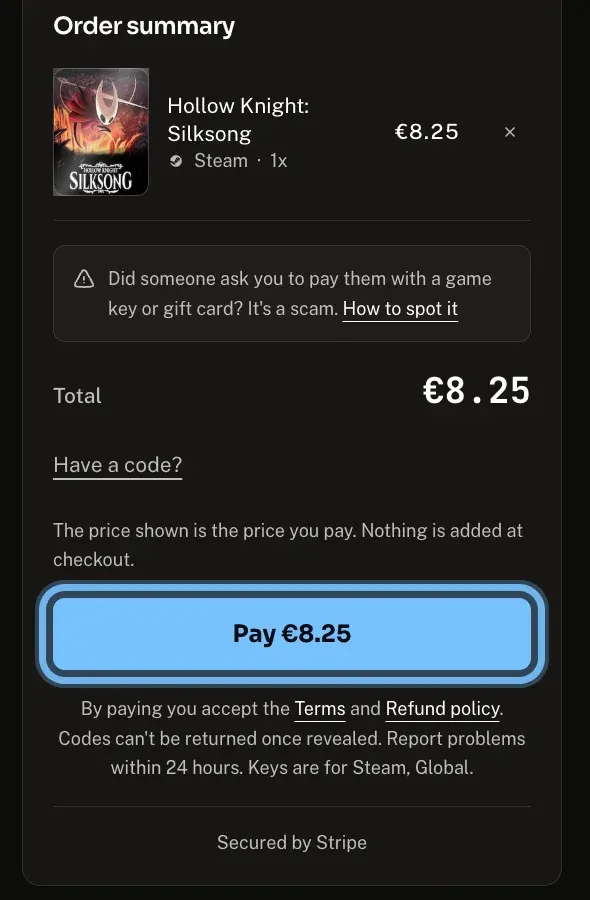
- 7
Finish paying on the secure Stripe payment page that opens. Enter your card details, or approve the payment in your bank or wallet app. Stripe also asks for your billing address.
Your bank may ask you to confirm the payment in its app or by text. That's normal: confirm it to finish paying.
Changed your mind? Go back from the payment page. You're on checkout again, with your cart as you left it.
Get your key
Your key arrives by email, never on the order page.
- 1
After you pay, your order confirmation page opens. Its tracker shows where your order is: Order received, then Sending to your email, which becomes Sent: check your inbox. It usually takes minutes.
- 2
When it says delivered, select the button named for your email service, such as Open Gmail. It opens your inbox already searched for your order.
No button? Search your inbox for your order number, like #42101. Check spam and promotions too.
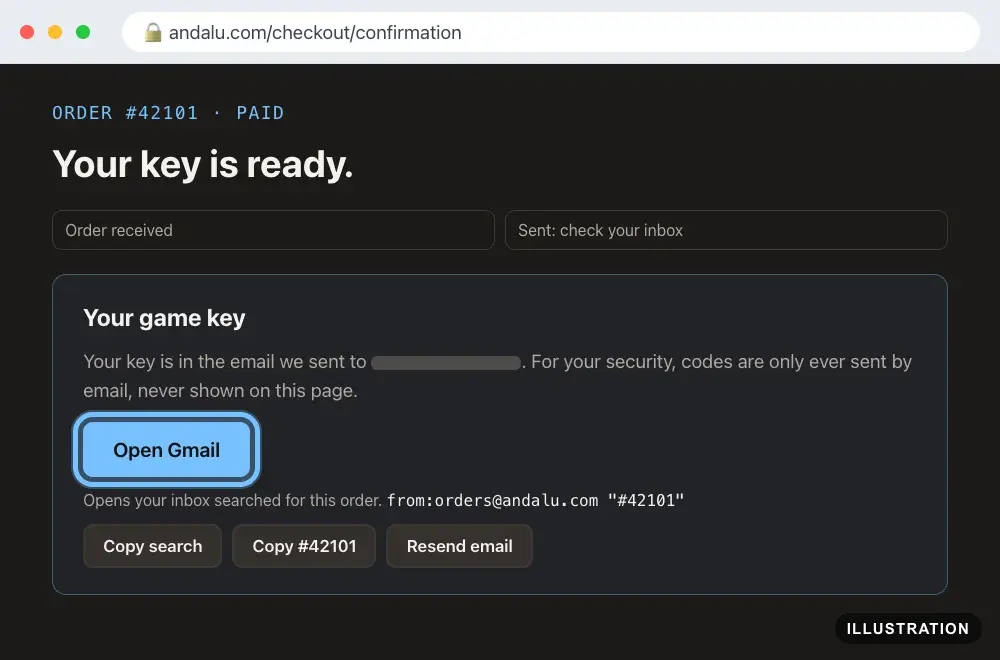
Illustration of your Andalu order page - 3
In the email, select Get your order. Your key is on the page it opens. If the email shows the key itself, under Your key, it's right there.
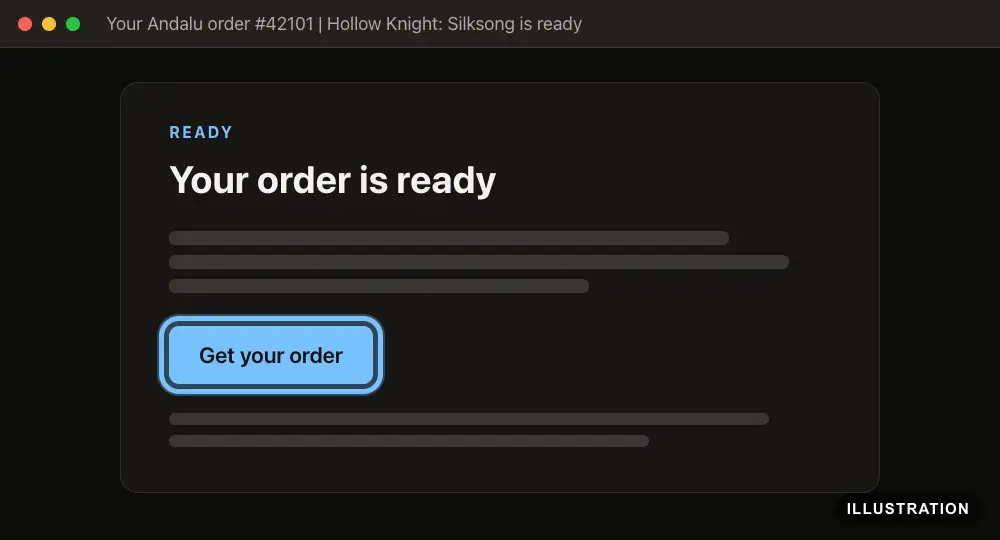
Illustration of your Andalu order page - 4
Redeem the key on its platform. Each platform's guide shows every way to redeem, with a picture of each step: all of them are in How to redeem a key.
Confirm it works
The top of your confirmation page says Paid beside your order number.
The tracker reaches Sent: check your inbox, and the email for your order has your key, in the email or behind Get your order.
Once you've redeemed it, the game is in your platform's library. Each platform's guide says where to find it, for example the Steam guide.
Troubleshooting
| What you see | What it means | What to do |
|---|---|---|
Set your region to check this key works for you | We don't know your account's region yet | Select Set region at the top of the page and choose your platform and region. Here's how |
Won't activate on your account, or a platform name followed by keys only | The key is for a different region or platform than yours | Don't buy it for yourself. Search again for a version that matches your account |
This key won't activate on your account when you add it | You're buying a key for another region | Select Cancel, unless it's a gift for someone with an account in that region |
Enter your mobile number without the country code | The number includes the country code, or it's incomplete | Check the country beside the box, enter the number without the country code, then select Send code again |
That code didn't match. Check it and try again. | The code was mistyped | Type the code from the latest text message, then select Verify |
Verify your phone number to place an order | You haven't confirmed the code yet | Select Send code, type the code you receive, and select Verify |
Use a mobile number. Internet and virtual numbers can't be used to buy on Andalu. | The number isn't a mobile number | Enter your mobile phone's number and select Send code again |
We can't take this order as it stands. Add another item, or try without a code. Nothing was charged. | A code can push a small order below what we can take | Remove the code, or add another item to your cart, then check out |
Checkout is paused for a few minutes. | We've paused checkout briefly to protect buyers. Nothing was charged | Wait a few minutes, then select Pay again |
Too many checkout attempts. Wait a few minutes and try again. | Checkout was tried many times in a short time | Wait a few minutes, then try once more |
A message that starts No longer available | A key in your cart sold out | Remove it from your cart, then search for the game again |
The payment page shows a different currency from the one you picked | Today's exchange rate couldn't be read, so the order is in euros | Check the amount before you pay. See Can I pay in a currency other than euros? |
Your payment was declined | Your bank or card refused it | |
Your payment is confirming. | Some bank methods take longer to clear | Nothing to do. We email your key once the payment clears |
Payment not completed | The payment didn't go through, so nothing was ordered | If you paid moments ago, reload in a few seconds. Otherwise select Back to your cart and try again |
Your order is taking a little longer than usual. | Your order is safe and on its way | Don't pay again. It arrives by email within a few hours. Nothing by the next day? Contact us with your order number |
One item in your order is taking longer than usual to come through. | One item hasn't come through yet | Nothing to do. We send it, or refund it, within 24 hours. If your card has not been charged yet, it won't be until we send it |
You closed the confirmation page | Nothing is lost. Your key arrives by email, not on the page | Search your inbox for your order number, including spam. No email? On the contact page, select Lost your order email? Get it again. See also What if my payment succeeds but I don't get a confirmation? |
Frequently asked questions
Related articles
Still stuck?
Contact us with your order number and the exact message you see, word for word, including any error code. We reply by email, usually within a day. If your key can't be used, buyer protection covers you for 24 hours after delivery.