How do I know if a game key will work for me before I buy it?
Every game on Andalu states the platform and region its key works on, under the title and in the buy box. Tell us your platform and region once, at the top of any page, and each key then says whether it activates on your account before you buy.
Before you start
Know your account's platform (Steam, Xbox, Nintendo and so on) and its region. On most platforms, the region is the country you chose when you created the account. Each platform guide shows where to check it, for example Steam, Xbox or Nintendo.
A key only activates on the platform it's made for, and a region-locked key only activates on an account from that region. What is region lock? explains why.
Tell us your platform and region
- 1
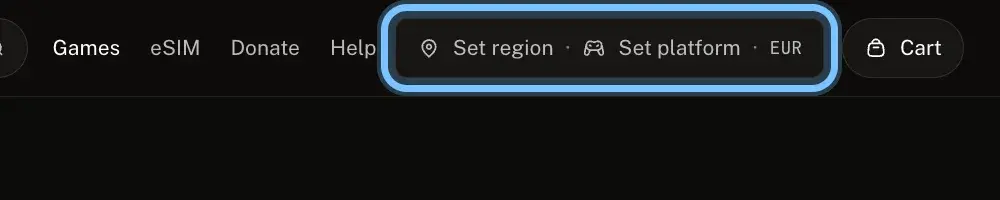
Select Set region at the top of any page. Once you've chosen, it shows your region and platform instead.
- 2
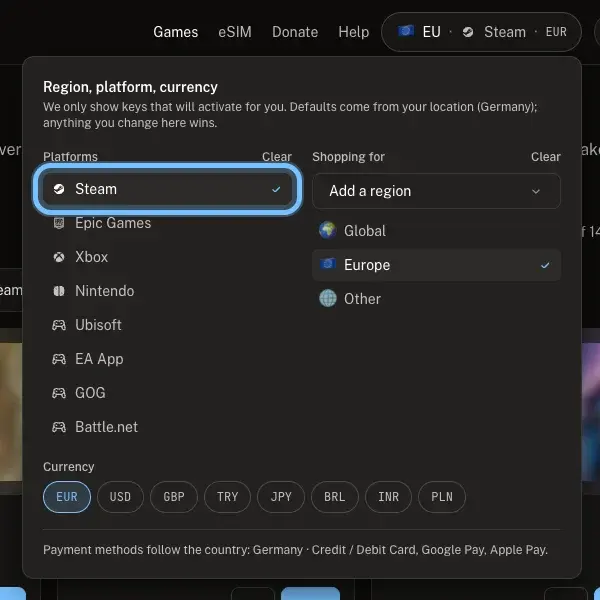
Under Platforms, tick each platform you play on, like Steam.
- 3
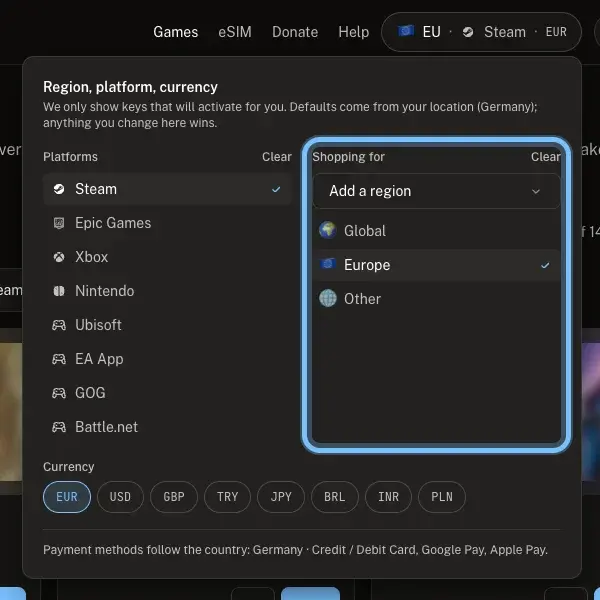
Under Shopping for, tick your account's region, like Europe.
Only regions we sell keys for are listed. Yours isn't there? Look for keys marked Global: they aren't locked to one region.
- 4
Close the panel. Games now shows keys that activate for you, and search lists them first. Your choice is saved in this browser.
Check the game before you buy
- 1
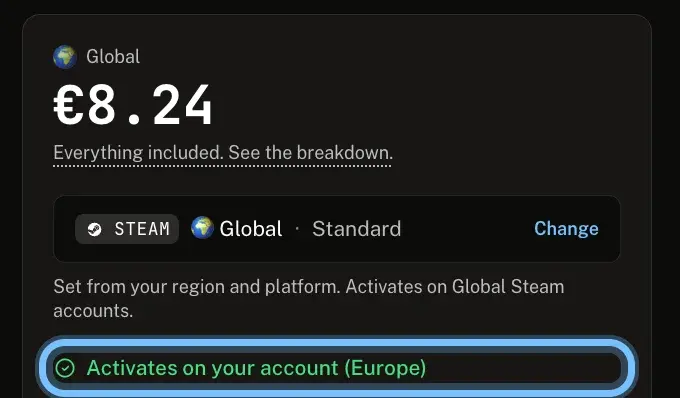
Open the game's page and look in the buy box for Activates on your account.
- 2
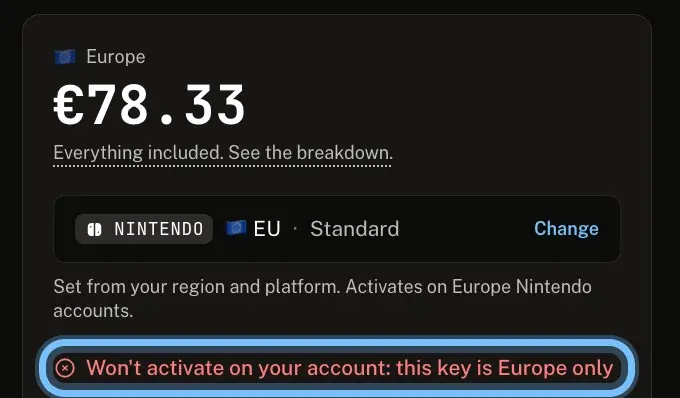
If it says Won't activate on your account, the key is for another region. Don't buy it for yourself.
A key for another platform names it instead, like Steam keys only, and your account is set to Xbox.
Some games come in more than one version. Select Change in the buy box to see the other platforms, regions and editions.
- 3
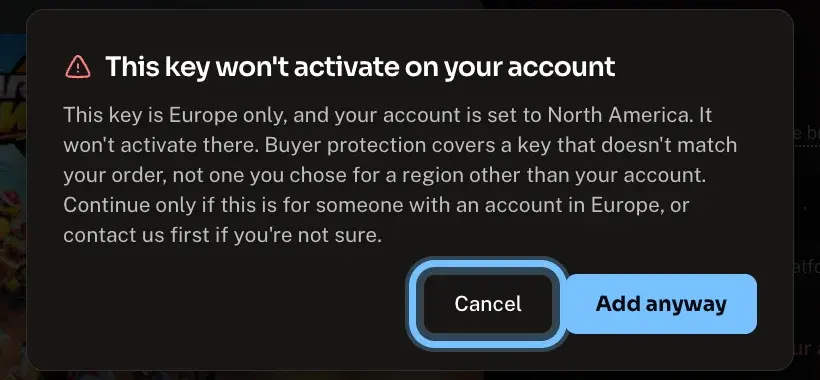
If you add a key for another region anyway, we ask first. Select Cancel, unless it's a gift for someone whose account is in that region. Buyer protection covers a key that doesn't match your order, not one you chose for a region other than your account.
Confirm it works
The buy box says Activates on your account, with your region in brackets.
At checkout, any key in your order that won't activate on your account is flagged under its name. Keys that will activate carry no warning.
Troubleshooting
| What you see | What it means | What to do |
|---|---|---|
Set your region to check this key works for you | We don't know your region yet | Select Set region at the top of the page and tick your platform and region |
Won't activate on your account: this key is Europe only (or another region) | The key is locked to a region that isn't yours | Select Change to look for another version, or search again |
A platform name followed by keys only, and your account is set to your platform | The key is for a different platform | Select Change to look for your platform, or search again |
Region not confirmed, check before buying | The listing doesn't say which region the key is for | Don't guess. Contact us before you buy and we'll check |
Your region isn't in the Shopping for list | We don't sell keys locked to your region right now | Look for keys marked Global |
You're not sure which region your account is | Each platform sets the region its own way | Check in your account settings. The platform guides show where, for example Steam |
The key you were sent doesn't match what your order said | That's a key that doesn't match your order, and buyer protection covers it | Don't keep trying. Contact us with your order number. See I bought a key and it says it's the wrong platform or region |
You knowingly bought a key for a region other than your account | It won't activate on your account, and buyer protection doesn't cover that choice | Contact us with your order number and we'll see what we can do |
Frequently asked questions
Related articles
Still stuck?
Contact us with your order number and the exact message you see, word for word, including any error code. We reply by email, usually within a day.