Are the game keys on Andalu genuine?
Yes. Every key is the platform's own product key for the platform and region named on its listing, sold by Andalu and issued for your order. The platform itself checks the key when you redeem it, so you know straight away. If it doesn't work, buyer protection gets you a replacement or a refund.
Before you buy
- 1
Open the game's page.
- 2
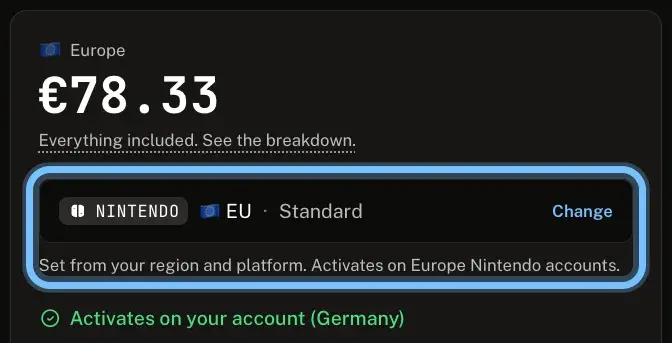
Read the version under the price. It names the platform, the region and the edition, for example NINTENDO, EU and Standard.
- 3
Check that the line below it says Activates on your account. No region set yet? Set your region first.
After you buy
- 1
Open the email for your order. Your key arrives by email, never on the order page.
- 2
Select Get your order, and copy your key from the page it opens. If the email shows the key itself, under Your key, copy it from there.
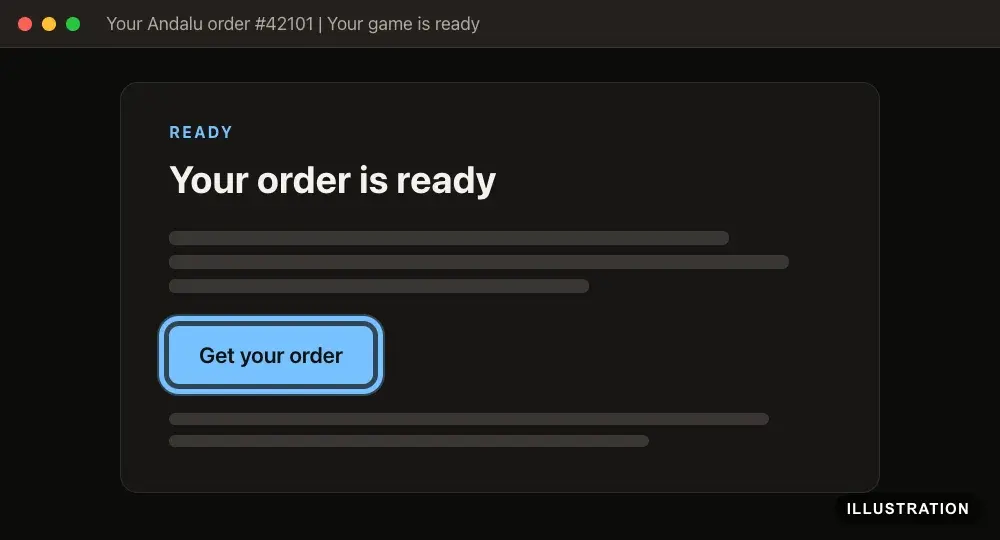
Illustration of your Andalu order page - 3
Redeem it on its platform. Your platform's guide has every step: see Activate a game key. The platform confirms the key as soon as it accepts it.
Redeem it soon. Buyer protection covers you for 24 hours after delivery.
Troubleshooting
| What you see | What it means | What to do |
|---|---|---|
The platform says the key isn't valid | A typing mistake, or the key is being redeemed on the wrong platform | Copy the key from your order and paste it, on the platform named on your order. Your platform guide lists the exact messages, for example Steam or PlayStation |
The platform says the key was already used | It may already be on another account of yours | Check any other accounts you use on that platform. If it isn't there, contact us with your order number |
The platform says the key is for another region than your order and the product page stated | The key doesn't match its listing, which is covered | Don't retry. Contact us with your order number |
The key is for the region its listing stated, but your account is in another one | The key works as sold, but not on your account | Contact us with your order number. We review it, though we can't promise a refund |
DLC or an upgrade won't redeem | The base game isn't on the same account | Add the base game to the same account first. See DLC and season passes |
The platform says you've tried too many times | Several failed tries in a row | Stop, and wait before one more try. Your platform guide says what to do next |
Frequently asked questions
Related articles
Still stuck?
Contact us with your order number and the exact message you see, word for word, including any error code. We reply by email, usually within a day. If the key can't be used, buyer protection covers you for 24 hours after delivery.