My order hasn't arrived. What should I do?
Start with your email. Your game key or eSIM arrives by email, never on the order page. Search your inbox for your order number, including spam and promotions. Your order confirmation page shows where the order is, and its button opens your inbox for you. No email and no page? Contact us with your order number, and don't buy it again.
Before you start
Your key or eSIM arrives by email only. The order confirmation page, the page that opened after you paid, shows where your order is and never the code itself.
Find your order number, like #42101. It's in your order email and at the top of your order page, after ORDER. You'll need it if you contact us.
Don't buy the same thing again while you sort this out. A second order is a second charge.
Then follow the route below that matches what you see: an order marked delivered, a message, an eSIM, or no email at all.
If the page says your order is delivered
The tracker at the top of the page says Sent: check your inbox.
- 1
Select the button named for your email service, such as Open Gmail. It opens your inbox already searched for your order.
No button? Select Copy search, then paste it into your email's search box.
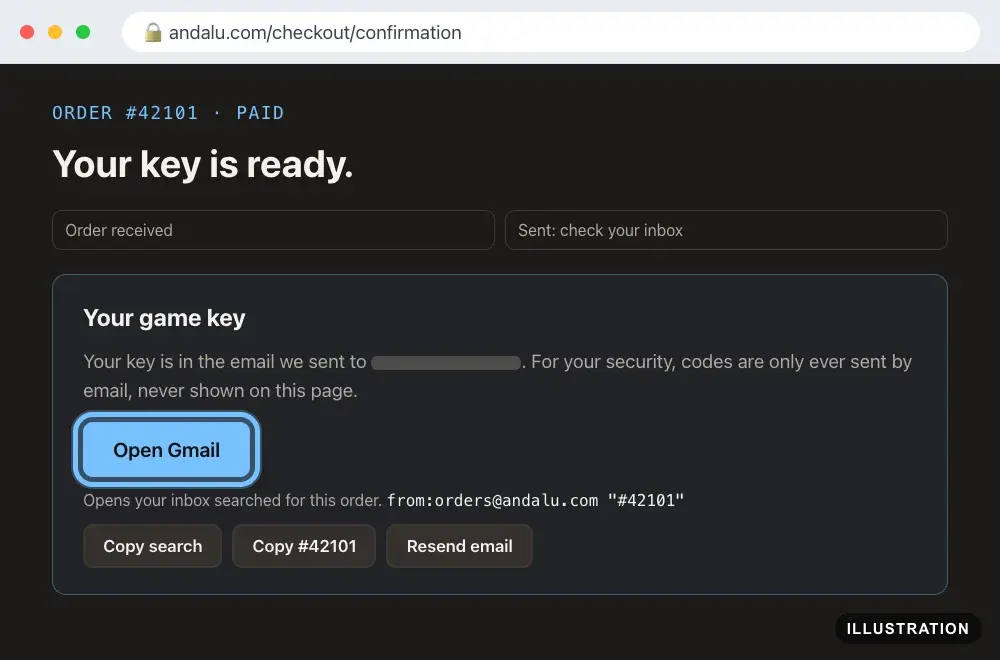
Illustration of your Andalu order page - 2
Open the email for your order and select Get your order. Your key or eSIM is on the page it opens. If the email shows your key itself, under Your key, it's right there.
- 3
Not in your inbox? Check spam and promotions. Still nothing? Follow If you can't find the email below.
- 4
Redeem it with your platform's guide, for example Steam or PlayStation. All guides are in activation help.
If the page shows a message instead
Two messages need nothing from you yet: "Your payment is confirming." and a message that your order "needs a quick manual review". What to do for each is in Troubleshooting. For any other message:
- 1
Note your order number, like #42101. It's at the top of the page, after ORDER.
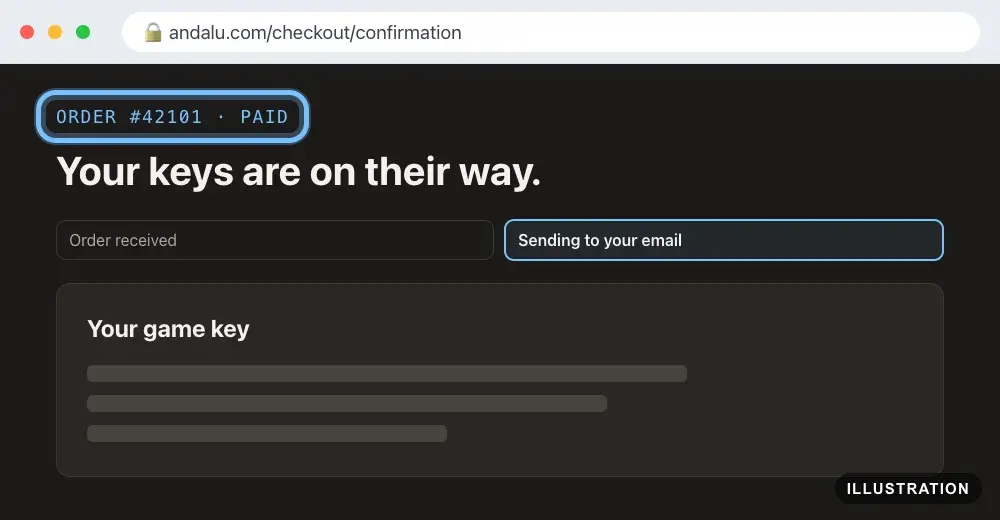
Illustration of your Andalu order page - 2
Open the claim form. Buyer protection claim is already chosen for you.
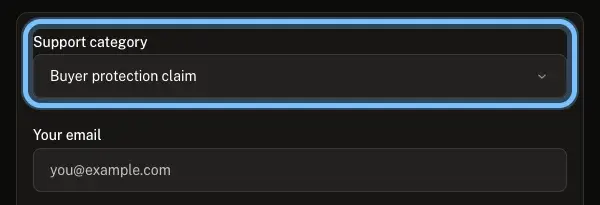
- 3
Fill in the form and select Submit ticket. How do I file a buyer protection claim? shows each box.
If you bought an eSIM
Your eSIM arrives by email, like a key. While it's being set up, the page shows it under Your eSIM.
- 1
If it says your eSIM is still being set up, select Check again now. The page also refreshes by itself while it waits.
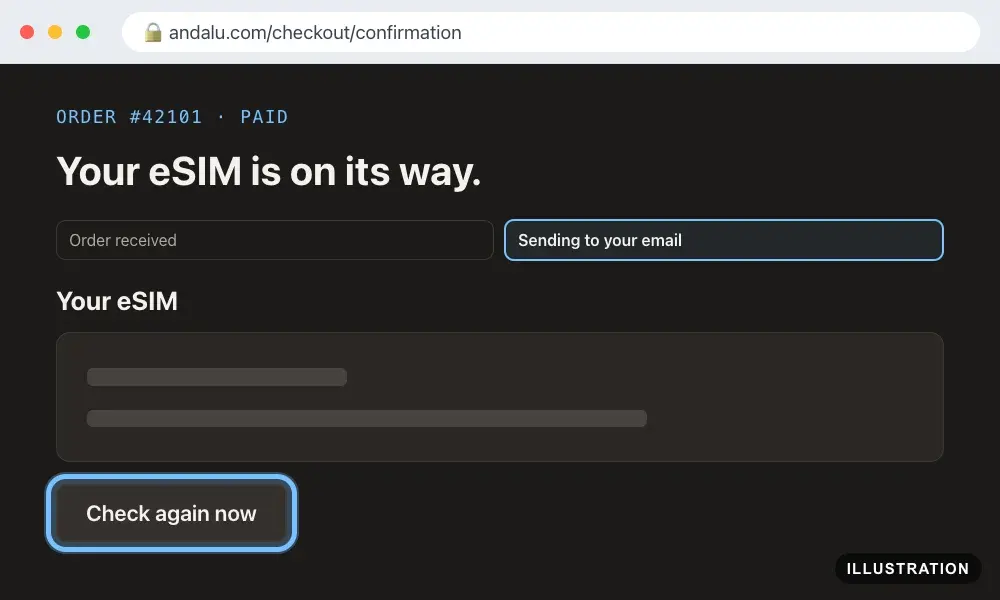
Illustration of your Andalu order page - 2
If you can't find the email
- 1
Search your inbox for your order number, like #42101, in every folder, including spam and promotions.
- 2
No email? Open the contact page and select Lost your order email? Get it again at the top. Enter your order number and the email you used at checkout, then select Email me my order. We send the latest email we sent for that order to that address again.
- 3
That email doesn't bring your key, or you have no order number either? Open the contact form with My order hasn't arrived chosen. In Description, give the email you used at checkout, the date you paid, the amount and what you bought. Leave Order number empty if you don't have it.
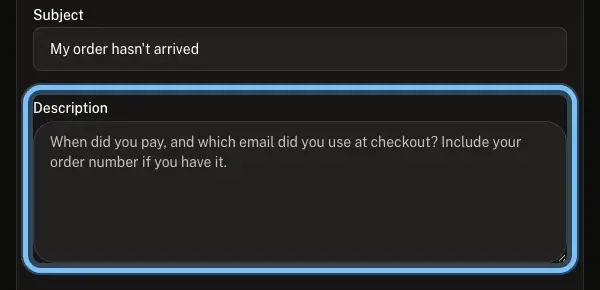
- 4
Select Submit ticket. For an eSIM, see I lost my eSIM email too.
Confirm it works
You have the email for your order, and your key redeems on your platform. Or your eSIM is installed.
If you contacted us, the form was replaced by Ticket, your ticket reference and received. We reply by email, usually within a day.
Troubleshooting
| What you see | What it means | What to do |
|---|---|---|
"Your payment is confirming." | Your payment method takes longer to clear. The key is released once it clears | Keep your order number. Once your bank or payment app shows the payment as complete and you still have no key, contact us with it |
A message that your order "needs a quick manual review" | A person checks some orders before the key is released | Nothing to do yet. Keep your order number, and if you haven't heard from us within 48 hours, contact us with it |
A message that says your key "is on its way" | Your key is on its way, and we email it when it's ready | Nothing to do yet. Nothing by the next day? Contact us with your order number. Don't buy it again |
The page says your key is in the email, but you can't find it | It's in another folder, such as spam or promotions | Select the page's open button, such as Open Gmail, or Copy search. Still nothing? Use Lost your order email? Get it again on the contact page |
"Your key comes in a separate email from our delivery partner." | Our delivery partner sends your key's email. The page's Resend receipt only sends Andalu's receipt again | Check spam and promotions for the email for your order. Still nothing? Contact us with your order number |
"Payment not completed" | The payment didn't go through, so no order was placed | Wait a few seconds and reload the page. Still the same? See Why did my payment fail or get declined? |
"No order to show" | The page was opened without your order's link | Go back to the tab that opened after you paid. If you closed it, follow If you can't find the email above |
"Payment received" with a note that the order "could not be matched automatically" | We have your payment, but a person needs to finish the order | Contact us with the order number shown on the page |
An eSIM that says "Your eSIM is on its way" | The eSIM is still on its way | Select Check again now, or wait: the page refreshes by itself. If nothing changes, contact us with your order number |
You were charged but never saw a confirmation page | Your browser didn't come back from the payment page | Don't pay again. Contact us with the email you used at checkout, the date and the amount. See What happens if my payment succeeds but I don't get a confirmation? |
Frequently asked questions
Related articles
Still stuck?
Contact us with your order number and the exact message you see, word for word, including any error code. We reply by email, usually within a day. An order that never arrives is covered by buyer protection.