What currency are prices shown in?
Prices show in the currency you pick at the top of any page: EUR, USD, GBP, TRY, JPY, BRL, INR, PLN, CAD, AUD, NZD, CHF, SEK, NOK, DKK, CZK, HUF, RON, MXN, ZAR, SGD, HKD, KRW, ILS, THB. Until you pick one, you see your country's currency when it's on that list, and euros when it isn't. Prices convert at a daily market reference rate, and checkout charges you in the currency you see whenever that day's rate is available.
Games are priced in euros and eSIM plans in US dollars. Everything else you see is a conversion of those prices. To pay in your currency, see Can I pay in a currency other than euros?
- 1
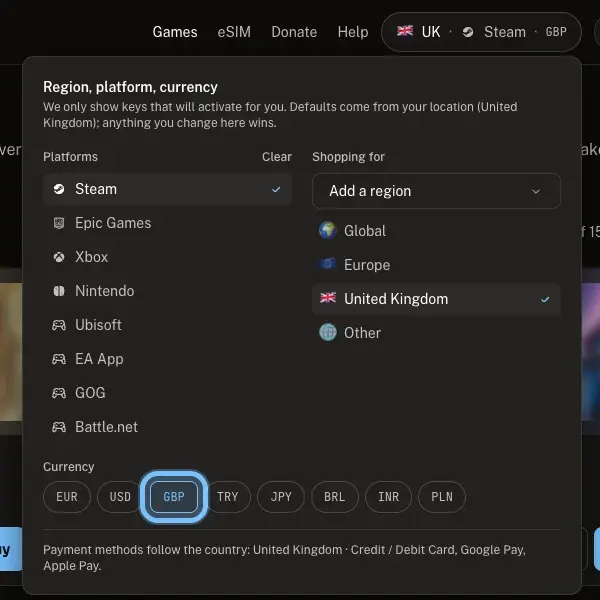
Select the pill at the top right of any page. It ends with the currency you're seeing, like EUR.
- 2
Under Currency, select the one you want, like GBP.
- 3
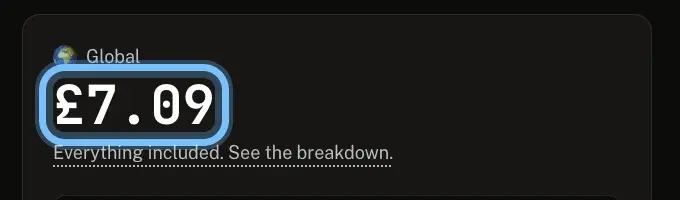
Close the panel. Prices across the store now show in that currency, and your choice is saved in this browser.
Troubleshooting
| What you see | What it means | What to do |
|---|---|---|
Rates unavailable, showing EUR. | Today's exchange rate couldn't be loaded | Prices stay in euros until it loads. Try again later |
eSIM plans still show in US dollars | eSIM plans are priced in US dollars, and you haven't picked a currency yourself yet | Pick a currency under Currency, even euros, to see them converted |
Prices changed a little since yesterday | Converted prices follow each day's rate | Nothing to do. The price you see is the price you pay today |
The wrong currency shows after you moved or traveled | Your choice, or your location, decides the default | Pick the currency you want under Currency. A choice you make wins over your location |
Frequently asked questions
Related articles
Still stuck?
Contact us with your order number and the exact message you see, word for word, including any error code. We reply by email, usually within a day.