How do donations to Gaza work on Andalu?
You can donate eSIM data to people in Gaza on Andalu's donation page. Pick an amount from $5 to $5,000 and give once, weekly or monthly. Every $10 funds one eSIM and its live accountability link, and you pay exactly the amount you choose: there's no processing fee. All of it goes to watermelonwarriors.io, a Palestinian-run volunteer initiative.
Before you start
Decide how much to give. The page suggests $10, $25, $50 or $100, and you can type any other amount from $5 to $5,000.
Decide how often: once, every week or every month. A weekly or monthly gift repeats until you cancel it.
Have a card ready. You pay on a secure payment page after you choose.
- 1
Go to the Gaza eSIM donation page.
- 2
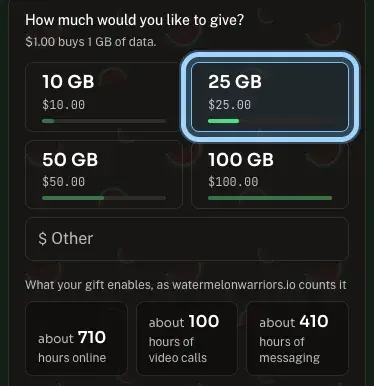
Under How much would you like to give?, select an amount such as 2 eSIMs ($25.00), or type your own amount in Other. Each amount shows the eSIMs it funds.
- 3
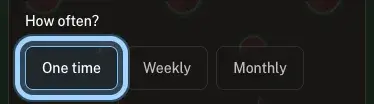
Under How often?, select One time, Weekly or Monthly (marked Recommended).
- 4
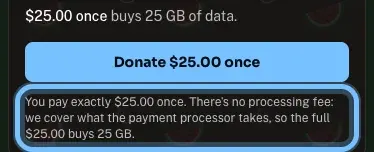
Check the line under the button. It starts You pay exactly and repeats your amount: that's all you're charged, and all of it goes to the eSIMs.
- 5
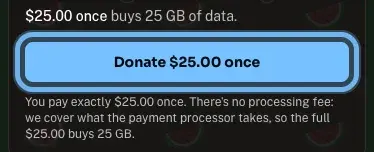
Select the donate button. It names your choice, for example Donate $25.00 once. You go to a secure payment page, where you pay by card.
Confirm it works
After you pay, you come back to the donation page, which shows Thank you for your donation.
Within minutes, Watermelon Warriors emails your donation receipt. Keep it for your records.
Then you get a live page for an eSIM your gift is helping keep connected, emailed once it's switched on, where you can follow delivery, connection and use. See an example report.
Your card or bank statement shows the charge for exactly the amount you chose.
Troubleshooting
| What you see | What it means | What to do |
|---|---|---|
The button says Enter an amount | Your own amount isn't between $5 and $5,000, or isn't a whole number of cents | Type an amount from $5 to $5,000, such as 30 or 12.50 |
The button says Donations open soon | Donations can't be taken on the page right now | Try again later |
The page says Could not start checkout | The payment page didn't open | Wait a moment and select the donate button again |
You weren't brought back to the thank-you message | The payment may not have finished | Check your card or bank statement before trying again, so you don't give twice |
No usage link a week after donating | It hasn't reached you | Write to info@watermelonwarriors.io |
You were charged a different amount than you chose | That shouldn't happen: the charge is exactly the amount shown | Contact us with the email you donated with and the date and amount of the charge |
Frequently asked questions
Related articles
Still stuck?
Contact us with your order number and the exact message you see, word for word, including any error code. We reply by email, usually within a day.
A donation has no order number: include the email address you donated with and the date and amount of the charge. For the usage link, write to info@watermelonwarriors.io.